sudo apt update && sudo apt install -y openssh-server
sudo service ssh status
If not running:
sudo service ssh start
exit with :q
ip -o addr show | awk '/inet/ {print $2, $3, $4}'
192.168.210.16
mkdir ~/.ssh
    chmod 700 ~/.ssh
ping 192.168.210.16
Connect with Pw
ssh vmadmin@192.168.210.16
winget install --id=PuTTY.PuTTY -e
ssh-keygen
type "C:\Users\vmadmin\.ssh\id_rsa.pub" | ssh vmadmin@192.168.210.16 "cat >> .ssh/authorized_keys"
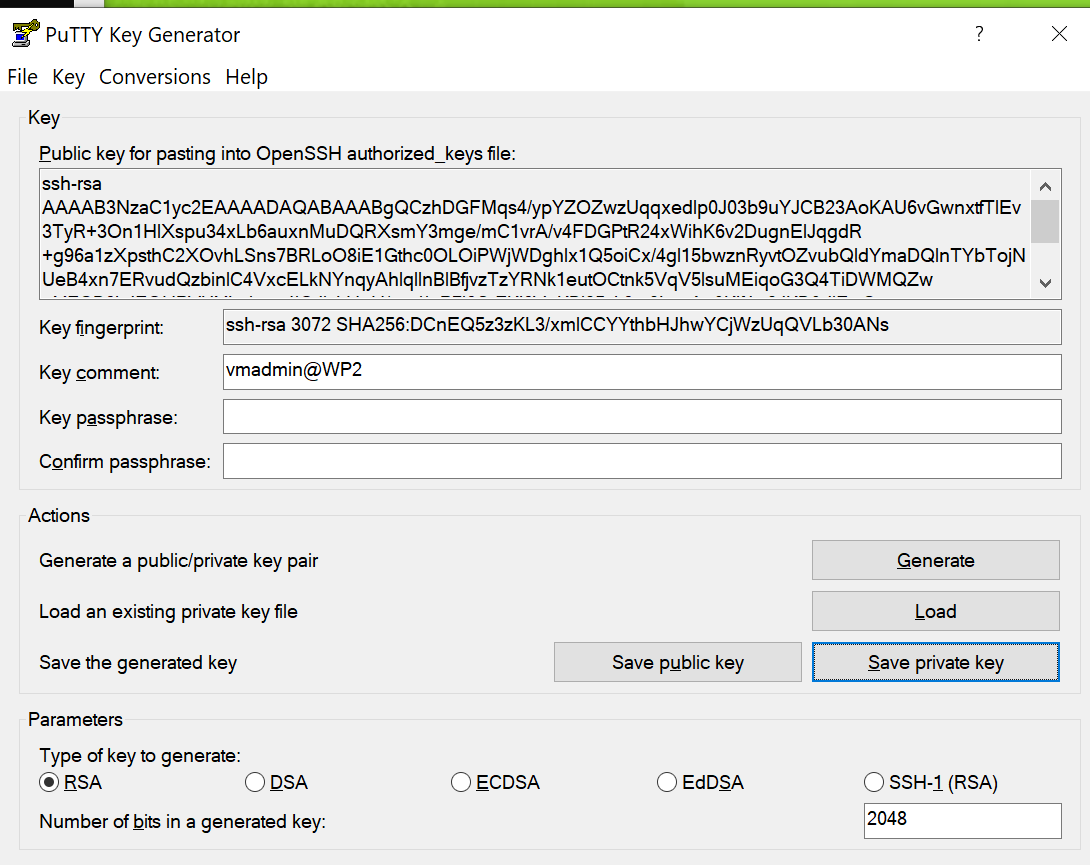
PuttyGen öffnen
Conversions -> Import Key (Private Key auswählen)
Save Private Key (auf Desktop)
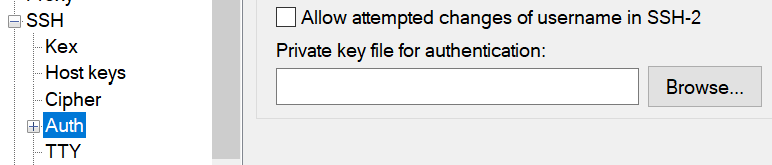
Putty öffnen
SSH -> Auth -> Im Fenster auf "Private key file for authentication"
Passwort deaktivieren
Automatisch
echo 'PasswordAuthentication no' | sudo tee -a /etc/ssh/sshd_config && sudo service ssh restart
Manuell:
sudo nano /etc/ssh/sshd_config
Zeile suchen: #PasswordAuthentication yes -> PasswordAuthentication no
sudo service ssh restart
https://gbssg.gitlab.io/m346/virtual-key/#installation-von-openssh-server